How to Get Stars in Pocket Family
In Pocket Family Dreams: My Home, stars are collectible resources used alongside coins to complete tasks for your virtual family. The game connects its match-and-clear puzzle activities with home restoration, room decoration, and family requests. If you need more stars, focus on progressing through the puzzle missions that support these activities.
1. Play the Match-and-Clear Puzzles
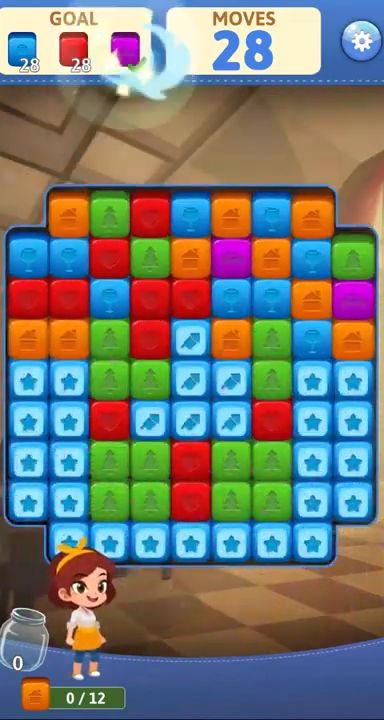
Pocket Family uses a block-clearing puzzle system. You tap groups of two or more blocks of the same color to remove them, and the game also lets you create and combine power-ups.
Pay attention to the objective displayed for each puzzle. Complete the required goals rather than simply clearing random blocks. The official game description confirms that puzzle missions are part of the game’s progression and that stars and coins are collected for family tasks.
2. Complete Family Tasks
Stars and coins are used to complete different tasks in the virtual home. These activities include cleaning rooms and restoring damaged parts of the mansion.
Check the task list to see which activity needs stars. This helps you understand why you are collecting them and what part of the home’s progress they are intended to support.
3. Use Power-Ups to Complete Puzzle Objectives
The puzzle mode includes power-ups that can be created by clearing blocks and combined to remove more blocks. When a level has a specific objective, consider how these tools can help you reach it.
For example, clearing groups that contribute to the displayed objective is more useful than making moves without considering the goal. The exact puzzle layout and required targets can vary between levels.
4. Check Your Current Task Progress
If you have stars but cannot continue a home activity, open the relevant family task and check its requirements. Some activities may also require coins or other progress before they can be completed.
Why Am I Not Getting More Stars?
The public game description confirms that stars and coins are collected as part of the puzzle-and-task progression, but it does not publish a complete reward table showing the exact number of stars awarded for every level or mission.
Check the results screen after completing a puzzle and review the task requirements in your home. Avoid relying on fixed star-per-level numbers unless they match your current game version.
For more Android game guides and tutorials, visit Android Game Guides.