MLB The Show Mobile Baseball Tips and Tricks: How to Manage Momentum, Hit Better, and Build a Stronger Team
Winning consistently in MLB The Show Mobile Baseball requires a combination of precise baseball controls and smart card management. You need to choose the right players for each at-bat, manage Momentum, make effective batting and pitching decisions, and recognize when to take risks on the basepaths.
These MLB The Show Mobile Baseball tips and tricks focus on the game’s officially documented systems, including its card-based lineup, skill-based controls, Momentum mechanics, and real-time baserunning features.
1. Manage Momentum Before Playing Cards
Momentum is one of the most important strategic resources in MLB The Show Mobile.
According to PlayStation’s official gameplay guide, each game begins with 10 Momentum. Your squad is shuffled into a deck, and you draw four player cards to choose who takes the field for each at-bat.
Every card has a Momentum cost, so selecting players without considering your remaining resources can limit your options later.
Use these practical tips:
- Check the Momentum cost before selecting a player card.
- Consider the current game situation before committing resources.
- Pay attention to the new cards drawn each turn.
- Avoid spending all your available Momentum without considering the next at-bat.
- Use player Special Abilities when they provide a meaningful tactical advantage.
2. Choose Batters Based on Their Attributes
Player cards include attributes that help explain their strengths and weaknesses. These include Contact, Power, Fielding, Speed, and Arm.
Understanding these attributes makes it easier to evaluate which player is suitable for a particular situation.
- Contact: Indicates a player’s ability to put the ball in play and avoid strikeouts.
- Power: Relates to exit velocity and the ability to hit the ball hard.
- Speed: Affects baserunning and the ability to track down balls defensively.
- Fielding: Reflects defensive reactions and performance.
- Arm: Represents throwing velocity and accuracy.
Do not evaluate a player using overall rating alone. Consider which attributes are relevant to the situation you are facing.
3. Improve Your Hitting Precision
MLB The Show Mobile uses skill-based hitting controls. PlayStation specifically highlights timing and placement as important elements of its Precision Hitting system.
Rather than focusing only on making contact, pay attention to the timing and placement of your swing.
Different players have different attributes, so consider the batter’s Contact and Power when making lineup decisions.
Precision matters because the game is designed to reward player input rather than relying entirely on random outcomes.
4. Use Your Pitchers Strategically
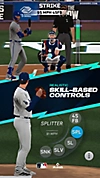
Pitching is another major part of the game’s skill-based control system. The game allows players to take control of every pitch rather than leaving the entire process to automated simulation.
Consider your available pitcher cards and their attributes when making lineup decisions.
Remember that every deck is different, and the rotating selection of batters and pitchers creates new strategic choices throughout a game.
Pay attention to the player available for the current turn instead of assuming that the same pitcher will always be the best option.
5. Decide When to Use the Risk It? Feature
The Risk It? feature allows you to control baserunners in real time and attempt to gain extra bases.
This can create additional scoring opportunities, but aggressive baserunning also introduces risk.
Before using the feature, consider the current situation:
- Check the runner’s position and the available base.
- Consider whether advancing is necessary for your scoring opportunity.
- Evaluate whether taking an extra base is worth the risk.
- Avoid treating every baserunning situation as an automatic opportunity to advance.
The goal is to make decisions that support your overall offensive strategy rather than taking unnecessary risks.
6. Build a Balanced Player Collection
MLB The Show Mobile includes more than 900 player cards featuring current stars and baseball legends. You can collect, upgrade, and trade players to create a roster that matches your preferred approach.
When evaluating new cards, consider how they fit into your existing lineup.
A player with a strong attribute in one area may fill a gap in your roster, while another card may offer a more useful Special Ability.
Instead of focusing exclusively on acquiring the highest overall ratings, consider the balance between offensive and defensive strengths.
7. Take Advantage of Different Game Modes
The game offers several ways to play, including Seasons, MLB Moments, daily challenges, events, and best-of-three PvP matchups.
These modes provide different types of baseball experiences and progression opportunities.
Use the available activities to develop your understanding of the game and work toward improving your squad. Seasons offers map-based progression through three-inning games, while PvP provides opportunities to compete against other players.
MLB The Show Mobile Mistakes to Avoid
- Ignoring Momentum costs: Every player card uses Momentum, so resource management matters.
- Choosing players only by overall rating: Individual attributes and abilities also influence their usefulness.
- Using aggressive baserunning every time: The Risk It? feature involves a decision between safety and an extra base.
- Ignoring Special Abilities: These abilities can influence your tactical options.
- Building an unbalanced roster: Consider offensive and defensive attributes when collecting players.
Final Tips
The best MLB The Show Mobile Baseball strategy combines smart Momentum management, precise hitting, thoughtful pitching decisions, and controlled baserunning. Evaluate player attributes before choosing cards, use Special Abilities when appropriate, and build a roster that supports your preferred style of play.
For more Android game tips, tricks, and guides, visit Android Game Guides.