Find 3D Tips and Tricks: Spot Items Faster and Beat the Level Timer
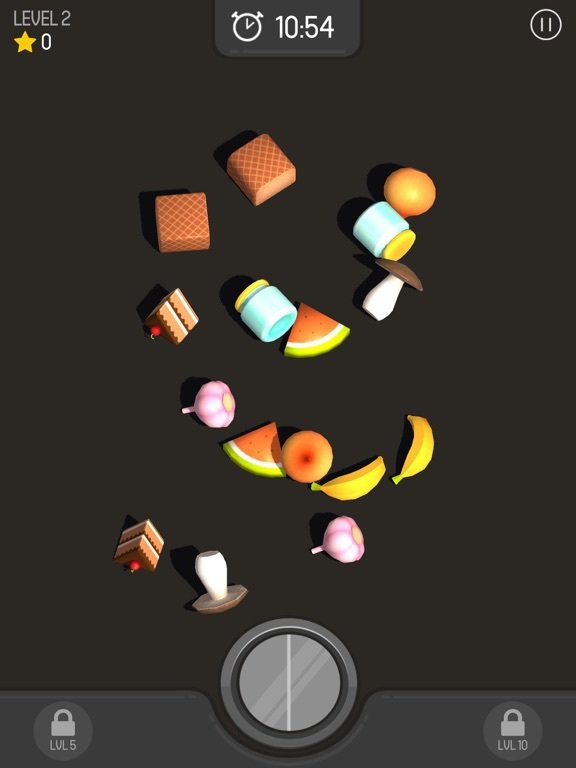
Find 3D – Match 3D Items is a timed 3D matching puzzle. You tap and drag objects to collect them, complete the level goal, and finish before the timer runs out. The challenge is not only finding matching objects. You also need to keep track of the mission and avoid wasting moves on items that do not help you complete it.
Read the Level Goal First
Before collecting objects, check the objective shown at the start of the level. Each level can have a specific goal, so collecting items without considering that target may waste valuable time.
- Identify the required objective.
- Look for objects that help complete it.
- Ignore unrelated items when the timer is running low.
- Check your progress before making another move.
Scan the Board in Sections
A board filled with different 3D objects can be difficult to read at a glance. Instead of looking randomly across the whole scene, scan one area at a time.
Start with the most visible objects, then move your attention to crowded areas. This makes it easier to remember where you have already searched and reduces repeated checking.
Use Hints When You Are Stuck
Find 3D includes Hint and Super Hint options, along with boosters that can help on difficult levels. These tools are useful when you cannot quickly locate the next object needed for the goal.
Try to search carefully before using a hint. If you are close to finishing the objective, a hint can help you avoid spending too much time searching the same areas.
Use Shuffle to Reorganize the Board
The Shuffle booster rearranges the items on the board. It can be useful when the current layout makes it difficult to find the objects you need.
Do not use Shuffle automatically whenever the board looks crowded. First check whether the required objects are already visible. Save the booster for a situation where rearranging the items can genuinely help.
Manage the Timer
Each level has a timer, so speed matters. However, tapping too quickly can lead to unnecessary moves. Try to balance fast scanning with accurate selection.
- Check the goal before searching.
- Scan the board in a consistent direction.
- Collect useful objects as soon as you identify them.
- Use Hint, Super Hint, or Shuffle when normal searching is not enough.
Final Thoughts
Find 3D is easier when you search with a clear objective instead of tapping every object you see. Read the mission, scan the board in sections, and use boosters when they can save meaningful time. For more puzzle game tips, visit Android Game Guides.
FAQ
Does Find 3D have a time limit?
Yes. Each level has a timer, and you need to complete its goal before time runs out.
What does Shuffle do in Find 3D?
Shuffle rearranges the items on the board and can help when the current layout is difficult to search.