Brain Puzzle 3: Crazy Mind Tips and Tricks
Brain Puzzle 3: Crazy Mind is a scenario-based puzzle game where each level presents a different situation. You may need to help a character escape, complete an unusual task, or discover an unexpected way to solve a problem. The best strategy is to inspect the whole scene and experiment with objects instead of relying on obvious answers.
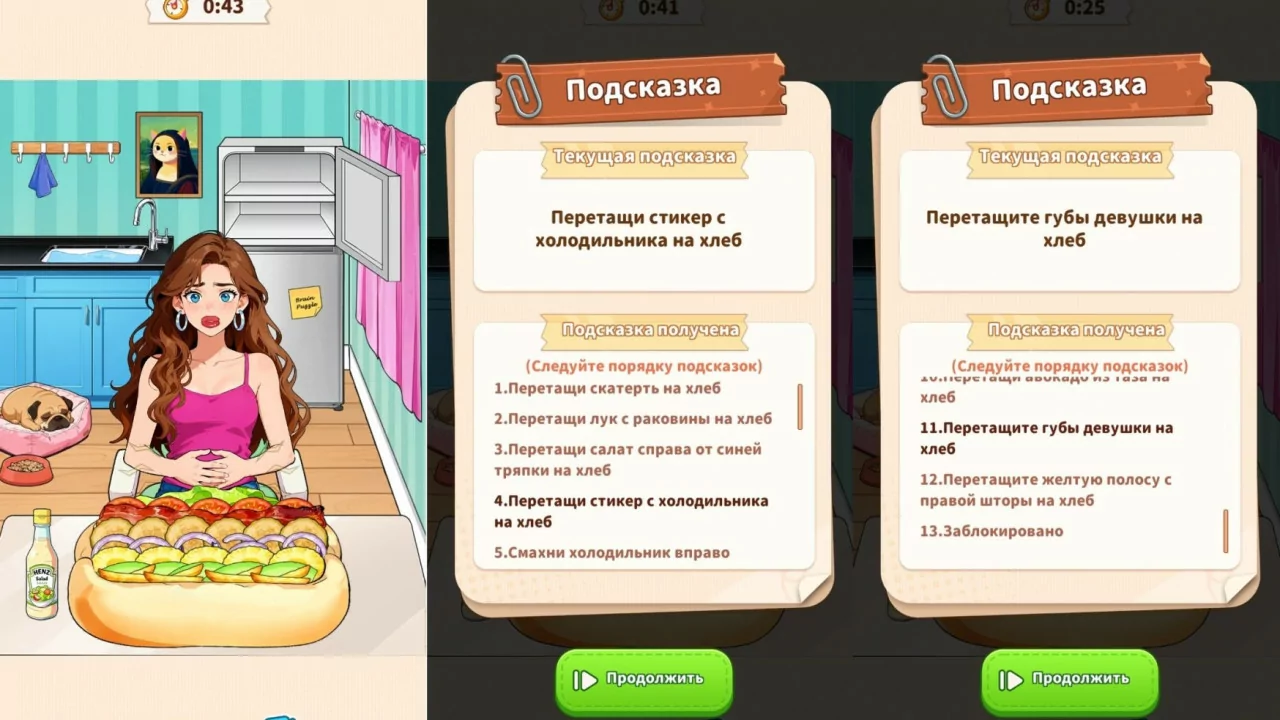
1. Read the Task and Character Captions
Start by reading the instruction displayed on the screen. Character captions and thought bubbles can also reveal what the puzzle expects you to do. These details are often more useful than the first object that catches your attention.
Some levels change their instructions as you make progress. If a new caption appears, stop and read it before continuing. It may indicate that the next step requires a different object or action.
2. Inspect Every Part of the Scene
Do not focus only on the main character. Background objects, containers, furniture, and small details may all be interactive. A useful item might be hidden behind another object or inside a drawer.
- Check the corners and edges of the screen.
- Look inside bags, boxes, cabinets, and other containers.
- Inspect objects near characters and doors.
- Check whether a background item can be moved or opened.
3. Try Dragging Objects to Different Targets
Many puzzles use drag-and-drop interactions. An object that seems unrelated may become useful when you move it onto a character, door, or another item.
For example, the Piglet’s House puzzle involves using objects from the scene to build a roof. The solution depends on recognizing which items can serve as building materials rather than choosing only the obvious ones.
4. Test More Than One Type of Interaction
Not every puzzle is solved by dragging. Some scenes require tapping, double-tapping, or swiping. If an object does not respond to a normal tap, try checking whether it can be opened or moved in another way.
- Tap: Check whether an object reveals information or changes the scene.
- Double-tap: Try it when an item appears to have another interaction state.
- Drag: Move objects onto characters or relevant targets.
- Swipe: Inspect backgrounds, doors, and areas that may hide objects.
Do not repeat the same action without a reason. If it does not work, inspect the task again and test a different interaction.
5. Look for Unexpected Connections
The game often rewards creative thinking. An item does not always need to be used for its normal purpose. A strange object may solve a problem because of its shape, material, or connection to another item.
Try to understand what the character needs rather than simply following the scene’s most obvious interpretation. If the task asks you to help someone escape, think about objects that could create a path or remove an obstacle.
6. Use Hints When You Cannot Find the Next Step
If you have inspected the scene and tested reasonable interactions, use the available Hint or Tips option. Some versions display a video icon for this feature. It can help you understand the required action when the solution is not clear.
Restarting the level can also help if you have made several incorrect moves and lost track of the original scene. Read the task again before trying a new approach.
7. Search by Puzzle Name Instead of Level Number
One important detail is that level numbers can differ between players’ walkthroughs. The same puzzle may appear at different numbers in separate videos or guides.
Use the puzzle name or the exact task shown on your screen when searching for a solution. For example, searching for Mom Is Home or Piglet’s House can be more reliable than searching only for a level number.
Frequently Asked Questions
Why do the obvious actions fail?
Many puzzles use unexpected object interactions. Read the task and captions, then inspect other objects before repeating the same action.
Can I solve puzzles by tapping only?
Not always. Some challenges require dragging, double-tapping, or swiping to reveal and use objects.
Why is my level number different from a walkthrough?
Different players may encounter the same puzzle at different numbers. Search by the puzzle name or its on-screen task instead.
Think Creatively and Explore the Scene
Brain Puzzle 3: Crazy Mind rewards careful observation and experimentation. Read the task, inspect hidden areas, test different interactions, and look for unexpected ways to use objects. When searching for help, match the puzzle name rather than relying only on its number. For more Android brain game tips and walkthroughs, visit Android Game Guides.