How to Unlock More Levels in Force Master
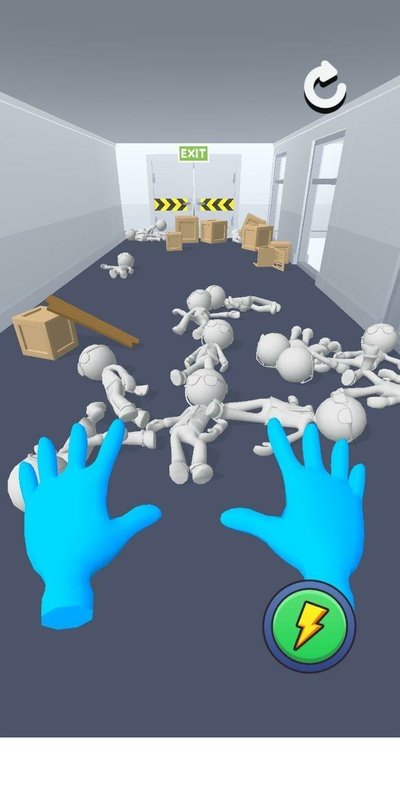
Force Master is a casual action game from VOODOO. Its central ability lets you grab objects in the environment and throw them at enemies. You can also use enemies and explosive barrels to clear obstacles.
Learn How to Use the Environment
Progress depends on understanding the objects around you. Instead of attacking every enemy directly, look for items that can help you clear the area. Explosive barrels are one example mentioned in the game’s description.
You can also grab platforms from beneath enemies. This creates another way to deal with opponents without relying on a direct attack.
Choose the Right Object for Each Situation
Look around before using your ability. Identify enemies, barrels, platforms, and other interactive objects. Consider which object can solve the immediate obstacle with the least unnecessary movement.
- Use nearby objects as projectiles.
- Throw explosive barrels toward groups of enemies.
- Remove platforms when enemies are standing on them.
- Pay attention to the remaining obstacles before moving forward.
Continue Through the Available Stages
The public game description focuses on environmental combat and does not document a separate level-unlock currency or a fixed requirement for later stages. To continue, complete the current encounter and follow the game’s stage progression.
If the next stage is unavailable, check the current level objective and any completion message. The available sources do not confirm that players need a specific weapon, character, or amount of currency to open later levels.
FAQ
Does Force Master have unlockable powers?
The public description highlights control over the environment, but does not provide a documented power-unlock system.
What is the main gameplay ability?
You can grab and throw objects, use explosive barrels, and remove platforms to defeat enemies.
For more action game tips and Android walkthroughs, visit Android Game Guides.