
How to Unlock More Cards in Find 3D
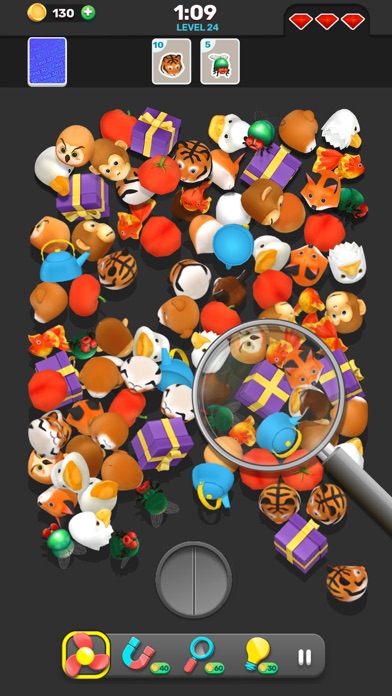
Find 3D is a timed matching game in which you collect groups of identical 3D objects. The game also features cards, gems, missions, and rewards. If you want to develop your collection, focus on completing the level goals and checking the rewards attached to available missions.
Complete the Main Level Goals
Each level gives you a goal to complete within a time limit. Tap and drag matching objects to collect them. You need to work quickly because the timer keeps running while you search the board.
Finishing the stated objective is the first step toward earning the rewards offered by the game. Avoid spending too much time on objects that do not contribute to the current goal.
Complete Missions for Rewards
Find 3D includes missions that offer rewards for completing different objectives. Check the mission section regularly and focus on tasks that match the levels you are already playing.
The game description confirms that cards and gem collections are features, but it does not publish a complete card-by-card unlock table. Check the collection interface and the reward details in your current version to identify which tasks contribute to a specific card.
Use Boosters When a Level Becomes Difficult
Boosters can help when the board becomes difficult to clear before time runs out. The game also includes Shuffle, Hint, and Super Hint options. Shuffle rearranges the objects, while hints help you identify possible matches.
- Use Shuffle when the current layout is difficult to work with.
- Use Hint when you cannot quickly spot a matching group.
- Save stronger assistance for levels where the timer is a problem.
Check Your Collection Progress
After completing missions and levels, review the card and gem collection areas. Claim available rewards and check whether a new card has been added. This is more reliable than assuming that a certain number of matches unlocks a particular card.
FAQ
Does Find 3D have collectible cards?
Yes. The game’s feature description mentions cards and gem collections.
What is the confirmed way to unlock a specific card?
A complete public card unlock list is not available. Review the in-game collection and mission reward descriptions for the exact requirement.
Explore more match puzzle tips and Android game guides at Android Game Guides.