How to Unlock Boosters in Wood Out: Color Jam
Boosters can make difficult Wood Out: Color Jam puzzles easier to handle. They are especially useful when the board contains several obstacles or when a normal sequence of moves is not enough to clear the level. If you are trying to unlock these tools, the first step is to understand how the game’s level progression works.
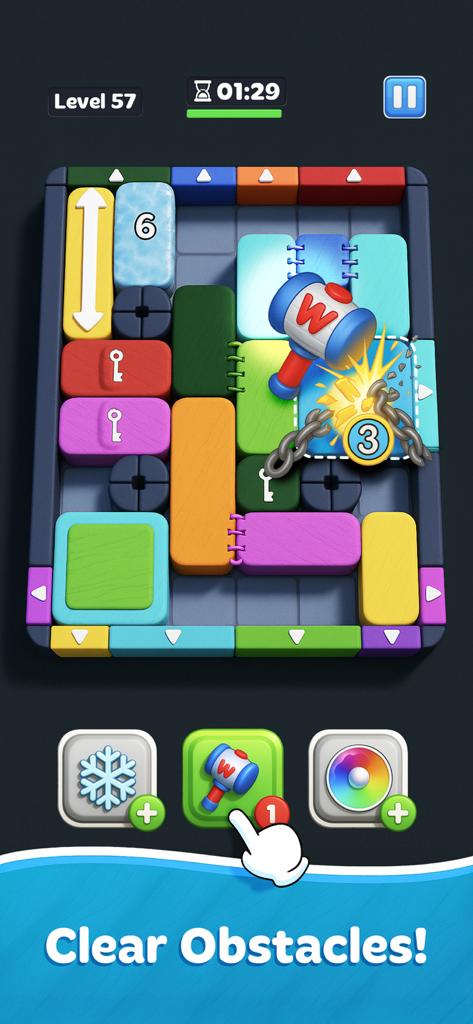
How Booster Unlocking Works
The public game description for Wood Out: Color Jam confirms that the game includes boosters and power-ups. It also describes hundreds of puzzles, with new obstacles appearing as players progress.
However, the available description does not provide a complete booster unlock chart. It does not confirm a specific level for each tool or a fixed number of puzzles required to unlock them.
The practical approach is to keep completing available levels and check the booster area as you progress. If a tool is still locked, follow the requirement shown inside your current game version rather than relying on an unlock level from another puzzle game.
Understand the Obstacles Before Using a Booster
Wood Out: Color Jam includes several types of obstacles. These include Arrow Blocks, Locked Blocks, Ice Blocks, and Double Layers. Each obstacle changes how you can move blocks and clear the board.
- Arrow Blocks: Pay attention to the direction indicated by the block when planning a move.
- Locked Blocks: Check how the locked piece affects the available paths.
- Ice Blocks: Consider the extra obstacle before committing to a sequence.
- Double Layers: Account for the additional layer when planning how to clear the board.
Knowing the obstacle type helps you decide whether a booster is necessary or whether the puzzle can be solved through normal moves.
When Should You Use an Unlocked Booster?
Do not spend a limited booster simply because a level looks complicated. First, inspect the board and identify the move that is blocking your progress.
If you can still create a clear path by moving blocks in a different order, try that approach before using an item. Save boosters for situations where the obstacle or layout prevents a reasonable solution with your available moves.
What If a Booster Is Still Locked?
Check the in-game booster panel for its current unlock requirement. The requirement displayed in the installed version is more reliable than an assumed level number from an older guide.
Also make sure the game is updated. If the booster panel shows a requirement that you have already completed but the item remains unavailable, restart the game and check the panel again.
FAQ
Does Wood Out: Color Jam have boosters?
Yes. Its public game description mentions boosters and power-ups that help players deal with difficult puzzles.
At which level do boosters unlock?
A complete public unlock-level list is not available. Check the requirement shown in your current game version.
Should I use boosters on every difficult level?
No. Try to solve the board through normal moves first and use a booster when it addresses a specific obstacle.
Understanding the board and checking the in-game unlock requirement are the safest ways to access and use boosters. For more Android game information and guides, visit androidgameguides.com.