Where Is? Find Hidden Objects Beginner Guide: Spot Matching Items and Manage the Merge Tray
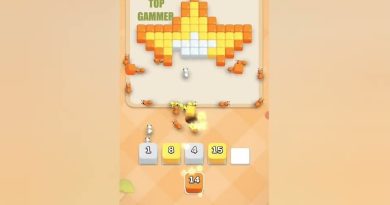
Where Is? Find Hidden Objects combines hidden-object searches with a triple-match puzzle system. Players explore illustrated scenes, locate objects, and collect three identical items to clear a match. Finding objects is only the first step. You must also manage the limited merge tray.
Understand the Search and Match System
Every level presents a detailed environment containing objects that are easy to overlook. Your job is to find the required items and tap them to collect them. Three identical objects form a match and clear from the tray.
This creates two connected tasks. You need to search the scene accurately, but you must also decide which objects are worth collecting first. A good search strategy helps prevent the tray from filling with unrelated items.
Explore Scenes Without Missing Small Objects
Objects can appear among buildings, furniture, decorations, characters, and other visual details. Do not focus only on the center of the screen. Check corners, edges, and areas where several objects overlap.
- Scan in sections: Divide the scene into smaller areas instead of searching randomly.
- Use zoom: Enlarge detailed areas when an object is difficult to identify.
- Move across the scene: Swipe to inspect areas outside the current view.
- Remember collected designs: Track which objects are already waiting in the tray.
A systematic search reduces repeated scanning. It also makes it easier to remember where you saw a matching object earlier.
Keep the Merge Tray from Filling Up
The merge tray has limited slots. Every object you collect occupies space until its matching set is complete. If the tray fills before you clear enough items, you may be unable to continue the level.
Before collecting an object, check whether you already have one or two matching pieces. Completing an existing pair is usually more useful than starting another unfinished group.
For example, if the tray contains two matching objects, search the scene for the third. Once the set clears, you regain space for other discoveries. This simple habit helps maintain control during longer searches.
Use Game Modes and Boosters Wisely
Where Is? offers timed and relaxed play modes. Timed levels place more pressure on your search decisions, while casual mode allows you to explore at a slower pace.
The game also lists assistance tools such as hints, tray shuffling, and extra slots. Use a hint when an important object is difficult to locate. A tray-related booster can help when your current collection becomes difficult to manage.
Frequently Asked Questions
How do you clear objects in Where Is?
Find three identical objects in the scene and collect them. The matching set clears from the tray.
Why does the merge tray matter?
The tray has limited space. Unmatched objects remain there, so collecting too many different items can prevent further progress.
Can I zoom in on the scene?
Yes. The game supports zoom and swipe controls to help players inspect detailed environments.
Does Where Is? have a relaxed mode?
Yes. The game offers both timed and casual modes, giving players different ways to approach hidden-object searches.
Successful levels require both careful observation and sensible collection choices. Discover more Android game guides at androidgameguides.com.