Brain Puzzle 3: Crazy Mind Beginner Guide: How to Solve Your First Puzzles
Brain Puzzle 3: Crazy Mind is a mobile puzzle game built around unusual situations and unexpected solutions. Instead of following one fixed puzzle rule, you interact with characters and objects in each scene. Beginners should learn to read the task, inspect the screen, and test different touch actions.
Read the Task Before Touching Anything
Start each level by reading its instruction. The wording usually explains what the scene is asking you to achieve. It may also suggest which character or object deserves your attention.
Do not assume that the most obvious object is the correct answer. Some puzzles use unusual item combinations or hidden interactions. Read the task carefully before trying random actions.
Learn the Main Touch Actions
Many puzzles use simple touch controls, but the correct action can change from one level to another. You may need to tap an object, drag it to another part of the scene, or swipe an element away.
- Tap: Test objects that look interactive or may reveal another item.
- Drag: Move objects toward a character or target area.
- Swipe: Try moving an element when the scene suggests that it can be shifted.
- Double tap: Test it only when a normal tap does not produce the expected interaction.
Use deliberate movements. If an object does not react, try another visible element instead of repeating the same action without a reason.
Inspect the Whole Scene
Important clues are not always placed in the center of the screen. Look at the background, nearby objects, characters, and items that seem unrelated to the main task.
Some solutions require combining objects from different parts of the scene. For example, an item near a character may need to be moved to another object before the puzzle can be completed. Check the edges of the screen as well as the main action area.
Use Character Captions and Hints
Pay attention to what characters say. Their captions can provide clues about what should happen next. A line of dialogue may point toward a specific object or reveal that the current situation needs an unusual solution.
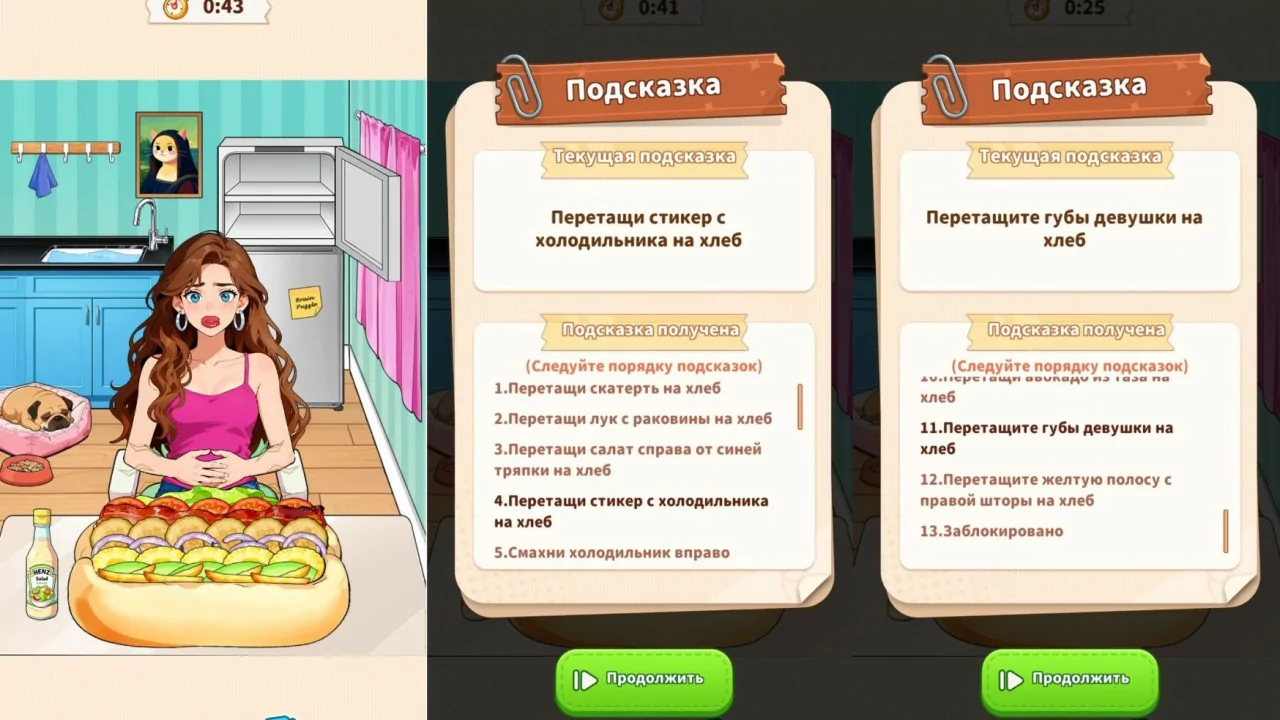
If you remain stuck, use the in-game hint feature when it is available. A hint can help you identify the next interaction without needing to guess every object on the screen.
Do Not Depend Only on Level Numbers
When looking for an online walkthrough, search by the puzzle name or its task description as well as the level number. Different players may encounter different level numbering or ordering, so a guide for the same number may not always show the same scene.
Matching the scene and task wording is a more reliable way to find the solution you need. Compare the characters and objects in the walkthrough with what appears on your own screen.
Beginner Mistakes to Avoid
- Skipping the instruction: The task text can contain an important clue.
- Only tapping: Some puzzles require dragging or swiping.
- Ignoring background objects: Items outside the main focus may be interactive.
- Repeating failed actions: Try a different object or gesture when an action has no effect.
- Searching only by level number: Use the puzzle name or scene description to match a walkthrough.
Frequently Asked Questions
How do you solve puzzles in Brain Puzzle 3: Crazy Mind?
Read the task, inspect the scene, and interact with objects using taps, drags, or swipes. The correct action depends on the puzzle.
Why does tapping an object sometimes do nothing?
The puzzle may require a different action, such as dragging an item to a target or moving an object out of the way.
How can you find the right walkthrough?
Search by the puzzle name or task description and compare the scene with your own game. Level numbers alone may not be enough.
Final Advice
Brain Puzzle 3: Crazy Mind rewards careful observation and experimentation. Read the task, inspect every part of the scene, and test the interaction that best fits the clue. For more Android game guides and puzzle walkthroughs, visit www.androidgameguides.com.