Flex Run 3D Tips and Tricks: Avoid Obstacles with Better Timing
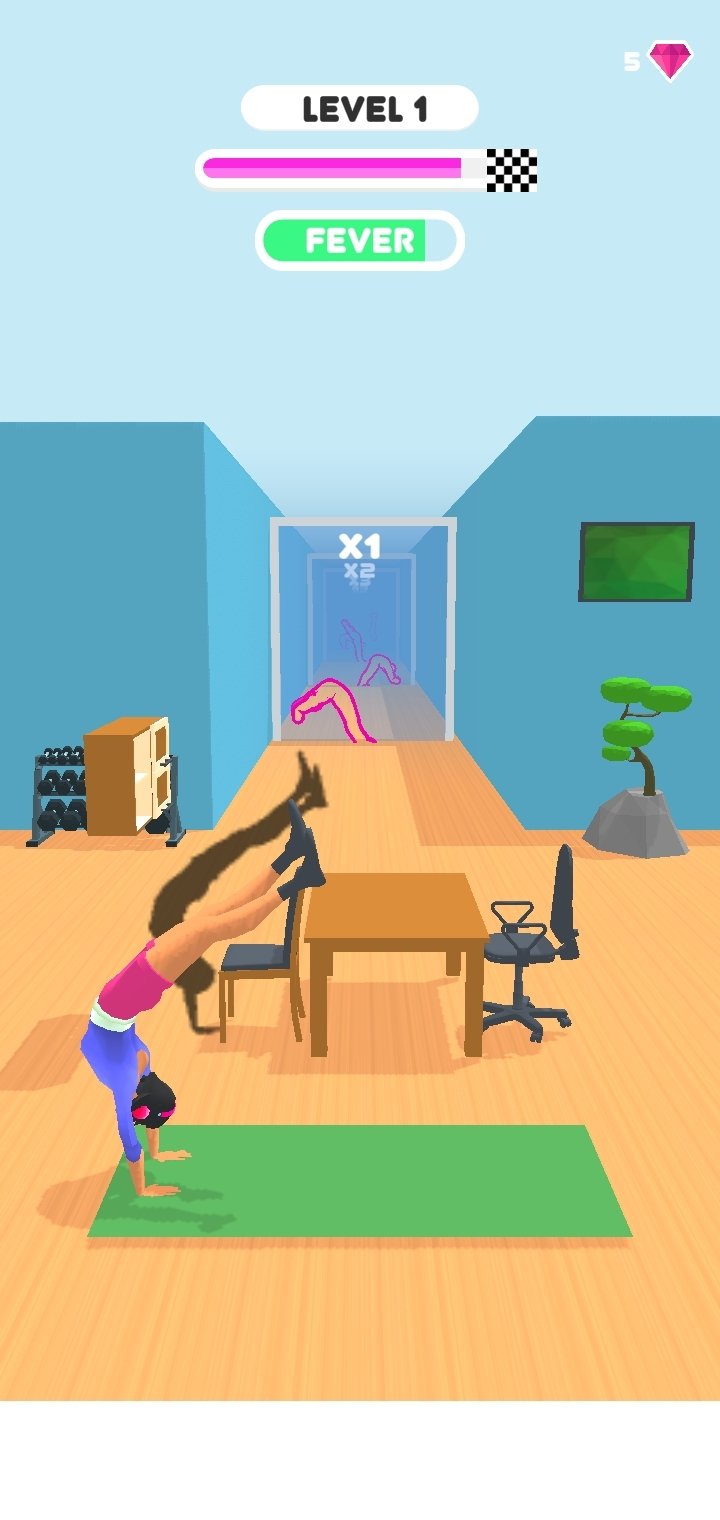
Flex Run 3D is a casual obstacle-running game where you slide your finger to move a flexible character into different positions. The goal is to fit through incoming obstacles instead of running into them. Success depends on reading the shape of the next barrier and changing your character’s position before reaching it.
Look at the Obstacle Before Moving
Do not wait until the character is directly in front of a barrier. Watch the obstacle as it approaches and identify the shape of the opening. This gives you more time to adjust your character’s position.
- Check whether the opening is high, low, narrow, or wide.
- Look for the body position needed to pass through it.
- Start adjusting before reaching the barrier.
- Keep watching the next obstacle after clearing the current one.
Use Small, Controlled Finger Movements
The game uses sliding controls to change the character’s position. Large movements are not always necessary. Make a controlled adjustment that matches the opening instead of moving randomly across the screen.
When an obstacle requires a different pose, focus on the position needed to fit through it. Avoid making several unnecessary corrections at the last moment.
Prepare for the Next Barrier
Passing one obstacle does not mean the next one will require the same movement. Keep your attention on the upcoming section and be ready to change position again.
A useful habit is to look beyond the current barrier. This helps you avoid staying in a position that works for one obstacle but creates trouble at the next.
Use the Fever Section Carefully
The game includes a Fever indicator in its level interface. When the pace or obstacle layout changes, stay focused on the path rather than relying on the same movement pattern throughout the level.
Prioritize clearing the obstacle in front of you. A safe passage is more important than making unnecessary movements.
Common Mistakes to Avoid
- Waiting too long before changing position.
- Moving without checking the shape of the opening.
- Using large corrections when a small adjustment is enough.
- Ignoring the next obstacle after passing one barrier.
- Repeating the same pose when the obstacle shape changes.
Final Thoughts
Flex Run 3D is about matching your character’s position to the obstacles ahead. Read each barrier early, make controlled adjustments, and prepare for the next change in the path. Visit Android Game Guides for more Android game tips and guides.
FAQ
How do you control the character in Flex Run 3D?
Slide your finger to move the character into different positions.
What is the main way to avoid obstacles?
Look at the shape of each incoming obstacle and adjust your character to fit through its opening.