
Ultimate Clash Soccer Tips and Tricks: Team Selection, Formations and Match Controls
Ultimate Clash Soccer combines collectible licensed players with short 3D football matches. You build a team, choose formations and roles, and compete against other players in real-time PvP matches.
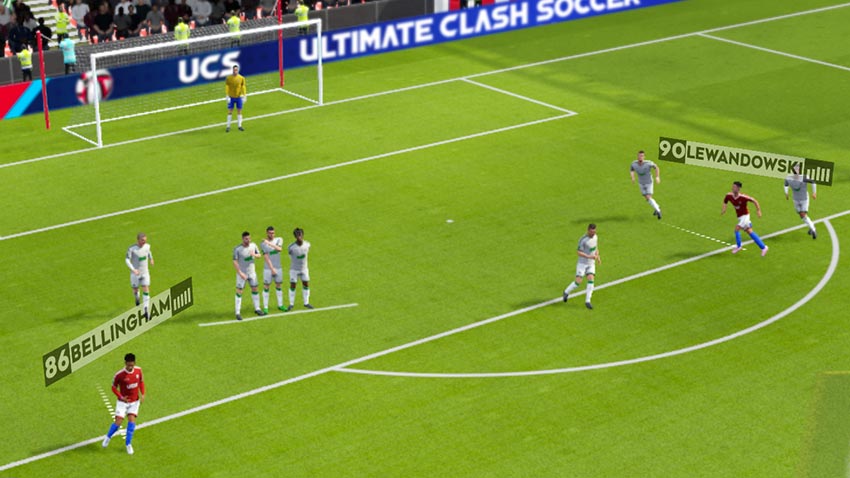
1. Review Your Team Before a Match
The game features licensed players with individual statistics and attributes based on their real abilities and traits. Team selection therefore plays an important role in preparing for a match.
Review your available players and choose a lineup that fits your preferred approach. The game also allows you to rotate your team and upgrade players.
2. Choose a Formation and Player Roles
Ultimate Clash Soccer allows you to choose formations and assign player roles. It also highlights team harmony and tactical choices as part of its team management system.
Consider how your selected players fit the formation. Avoid choosing a formation without checking whether your available players can fill the roles you assign.
3. Learn the Swipe Controls
Matches use simple finger-swiping controls. You can choose players to make runs off the ball, create passes, and attempt shots using these gestures.
- Use passes to move the ball into useful areas.
- Choose off-ball runs to create attacking options.
- Use shooting gestures when a scoring opportunity appears.
- Pay attention to the movement of defenders before attempting a pass.
4. Time Your Defensive Actions
The game asks players to anticipate defender movement and master tackle timing. Defensive actions should be based on the opponent’s movement rather than repeated without considering the ball position.
Watch the attacker and choose the right moment to challenge. Poorly timed tackles can leave space for the opposing team.
5. Stay Calm During Penalties
Penalty shootouts are part of the match experience, and every match must produce a winner. These moments require careful control rather than rushed gestures.
Pay attention to the available shooting and defending options. Keep your movements deliberate when a match reaches this stage.
6. Check the Transfer Market and Seasonal Content
The game includes a constantly refreshed transfer market and seasonal player content. New players, events, and rewards provide additional reasons to review your squad.
Check the available players and events regularly. Use the transfer market to look for players that fit your team rather than collecting names without considering their roles.
Frequently Asked Questions
Can you play Ultimate Clash Soccer against other players?
Yes. The game includes real-time PvP matches and one-on-one challenges.
Can you change your formation?
Yes. You can choose formations and assign player roles before playing.
How do you control players?
The game uses touch and swipe controls for passing, shooting, and selecting off-ball runs.
Does the game include offline play?
The store description says offline play is available, although real-time PvP requires online connectivity.
Final Thoughts
Strong results in Ultimate Clash Soccer come from matching players to suitable roles and learning the swipe controls. Review your formation, time tackles carefully, and use the transfer market to improve your squad.
Find more Android football game guides at androidgameguides.com.


